Over the limit you set
Set one fleet limit or different limits for trucks and light vehicles. Each alert carries the speed, road and time.
- Lower limits for heavy vehicles and buses
- Daily speeding summary per driver


GPS fleet tracking · Installed across the UAE
One live map for your whole fleet, from the Mussafah yard to a site in Ras Al Khaimah. Alerts when something needs you, and a full replay of every trip when someone asks “what happened?”.
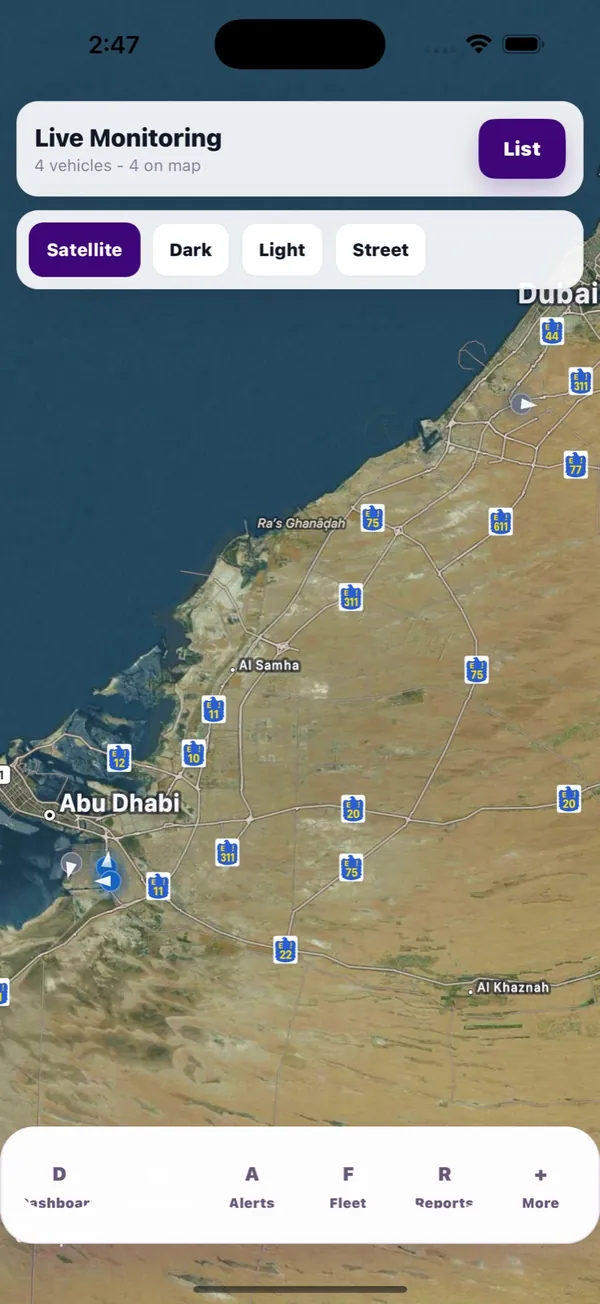
The live map
Open the map in the morning and you know who has left, who is stuck, and who has not started.
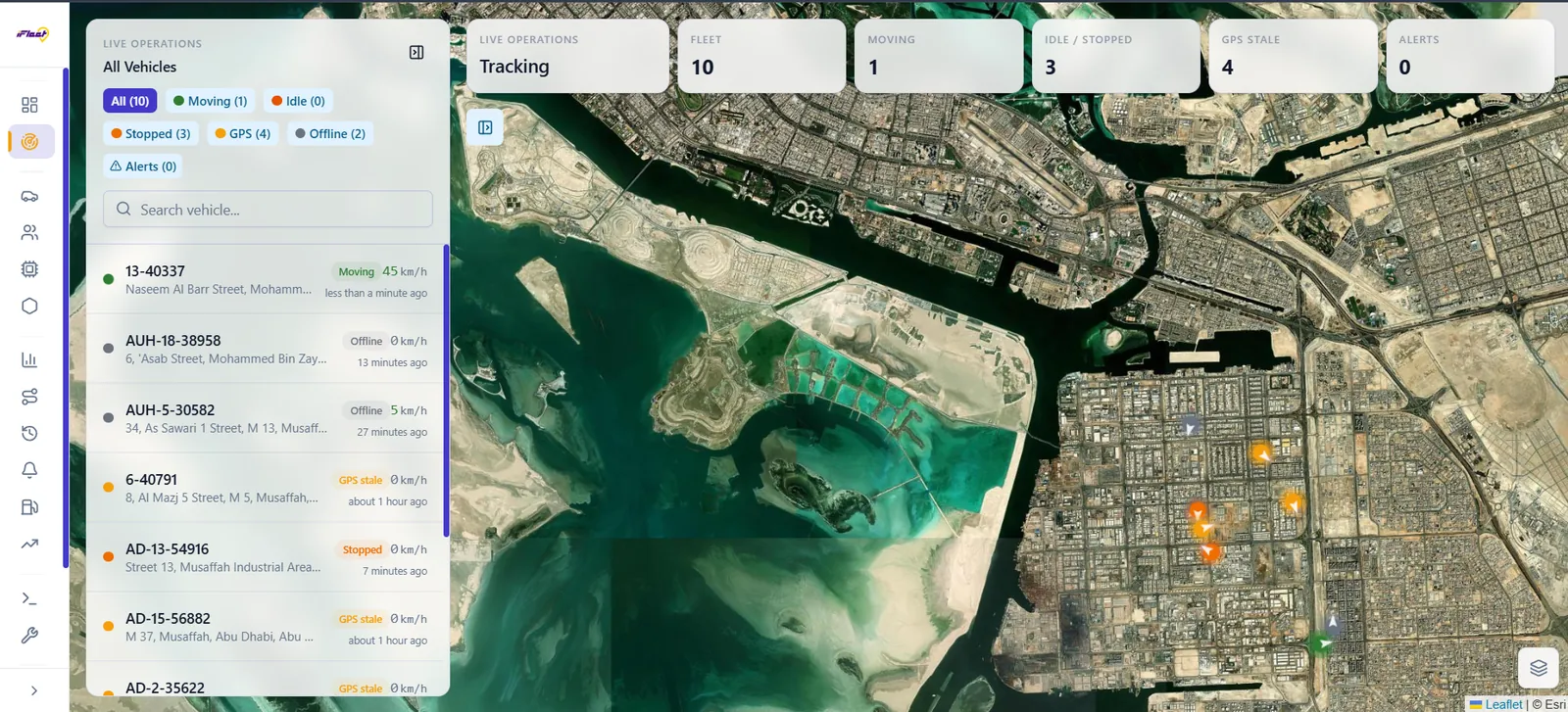
Every vehicle shows as moving, idle (engine on, not moving), stopped or offline, with its current speed, street address and the time of its last update.
Filter by group, branch or driver. Click any vehicle to see its trip so far today, the driver assigned, and the last alert it raised.
How a normal day runs
01 · Track
The tracker is wired to the vehicle’s power and reports in near real time while the engine runs. You see the vehicle move on the E311 on your phone, not a pin that updates once an hour.
02 · Alert
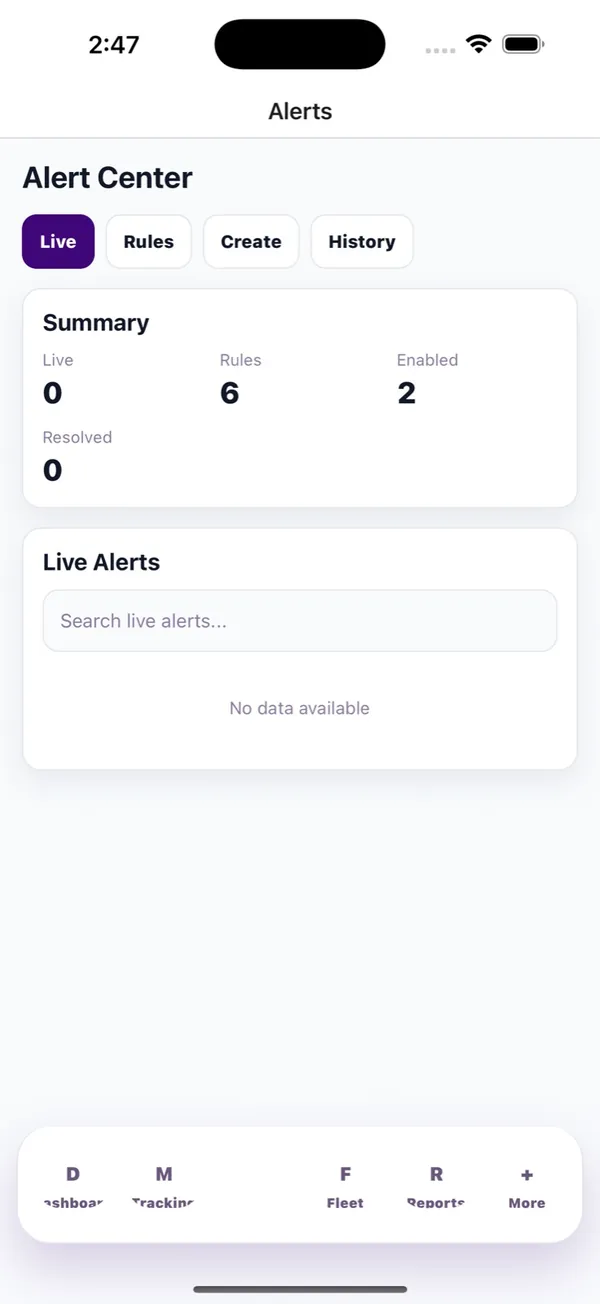
A van speeding on Sheikh Mohammed Bin Zayed Road, a pickup moving at 23:40 on a Friday, a truck leaving its planned route to Jebel Ali. Each one arrives as a push notification with the plate, driver, speed and place.
03 · Replay
A customer says the driver never arrived. Open trip history, pick the date and press play: the route, every stop, how long it lasted and the speed on each stretch. Disputes end in minutes.
04 · Report
Distance, engine hours, idling and utilisation per vehicle and per driver, ready to export to Excel or PDF for payroll, maintenance planning or the fuel card review.
Alerts
You choose who gets each alert, on which channel, and the thresholds. We set sensible defaults during installation.
Set one fleet limit or different limits for trucks and light vehicles. Each alert carries the speed, road and time.
Long idling burns fuel and engine hours, especially when the AC runs in a parked vehicle through the afternoon.
Spot the drivers who wear out brakes and tyres and put cargo at risk, before it becomes an accident.
Know when a vehicle leaves the agreed route or corridor, for example a detour between Mussafah and Al Ain.
Set working days and hours per group. Any movement at night or on a day off sends an alert straight away.
With RFID driver ID, the platform knows who is driving. A trip with no card, or a card not allowed on that vehicle, raises an alert.
Geofences
A geofence is a zone you draw on the map: your yard, a customer’s warehouse, a construction site, a fuel station, or a whole emirate. Every entry and exit is logged with the time, and can send an alert.
Use them to prove arrival times to customers, measure time on site, catch vehicles that leave Abu Dhabi without permission, or see who reached the depot after the curfew.
A day with iFleet
What the operations manager sees, and does, with GPS tracking running in the background.
The dashboard shows 31 vehicles out, 7 still parked. The supervisor checks the two that should have left for the ICAD site.
Instead of calling the driver, the coordinator shares a live location link. The customer sees the truck on the E30 and stops calling.
A pickup has idled for 50 minutes with the AC on. The site engineer is asked to switch it off; the event is in the monthly idling report.
A van is recorded well above the fleet limit. The manager sees the speed, place and driver, and adds it to Thursday’s coaching list.
A driver claims overtime. Trip history shows the vehicle back at the yard at 17:10. The overtime sheet is corrected in two minutes.
A pickup starts moving from a labour camp area. The night supervisor gets the alert on his phone and calls the driver before the trip goes far.
The platform
The web platform is for the control room and the office: maps, reports, settings. The mobile app is for managers and supervisors on the move: live location, alerts and trip history.
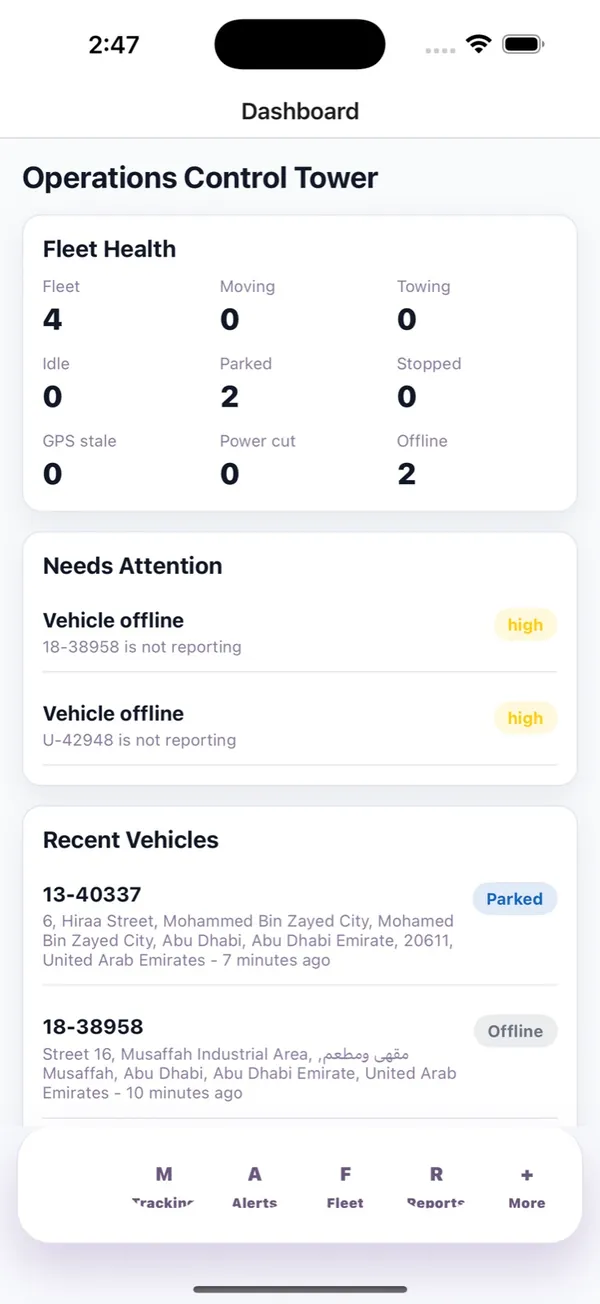
Real screens from the iFleet web platform and mobile app.
Choosing a tracker
| OBD plug-in | Phone app | iFleet wired | |
|---|---|---|---|
| Works when the driver’s phone is off or left at home | — | ||
| Hard for the driver to unplug or hide | — | — | |
| Works on trucks, buses and plant without an OBD port | — | ||
| Alert when the device loses power or signal | Sometimes | — | |
| Engine on / idle detection | — | ||
| Fuel, temperature, door and driver ID sensors | — | — | |
| Remote immobilisation | — | — | Where the device supports it |
| Installed and set up for you | Self-install | Self-install | At your yard, UAE-wide |
| Local support | Varies | Varies | WhatsApp, Arabic & English |
Plug-in and phone-based tracking can be fine for a few cars. For working fleets where reliability and accountability matter, a wired tracker is the safer choice.
What gets installed
We choose the tracker that fits each vehicle type: sedan, van, pickup, truck, bus, or equipment.
The exact specification depends on the device chosen for your vehicle. Ask us for the datasheet of the model we propose.
Add-ons
Fitted in the tank and calibrated. Shows refuels and sudden drops, so you can compare fuel card spending with what actually went in.
Ask us
For reefers and cold rooms on wheels. Live temperature on the map and an alert when it goes out of range.
Ask us
Each driver taps a card before driving. Reports show who drove, and trips without a card raise an alert.
Ask us
Prevents an unauthorised or stolen vehicle from being restarted, from the platform. Available where the device supports it.
Ask us
Logs every opening of the cargo or reefer door, with time and place. Ask us for a price for your vehicles.
Ask us
Engine fault codes and readings from vehicles with an OBD port, for earlier maintenance decisions.
Ask us
Add-ons need a compatible tracker; we check this for each vehicle.
Pricing
One-time device and installation, then a monthly subscription per vehicle.
Everything on this page except the add-ons.
AED quote on WhatsApp
Tracking plus road and driver cameras with automatic event clips.
AED quote on WhatsApp
Your quote depends on vehicle types, add-ons and fleet size. See all plans.
Getting started
Most fleets go from first message to vehicles on the map within days, not weeks.
Vehicles report in near real time while the engine is running and moving, and less often when parked to save data. The exact interval depends on the device and plan, and we set it to suit your operation.
The tracker is wired into the vehicle and hidden by our technicians, not plugged into a socket. If a device loses power or signal, the vehicle shows as offline in the platform so you can follow up straight away.
Yes. The tracker is installed inside the cabin or dash, out of direct sun. Ask us for the operating temperature range of the specific model we propose for your vehicles.
The device stores its positions while there is no mobile signal and sends them when the signal returns, so the trip history stays complete.
Trip history stays available for review and replay in the platform. The retention period depends on your plan; ask us and we will confirm it in your quote.
No. We supply and set up the connectivity in the device. Ask us what is included in your plan for your fleet size.
A standard GPS installation usually takes about an hour per vehicle, depending on the vehicle. We work in batches at your yard so the fleet keeps running.
Yes. We fit trackers to sedans, vans, pickups, heavy trucks, buses and plant such as generators and loaders, choosing the device for each type.
Yes. Tracking data can be connected to ERP, dispatch and other systems. Tell us which system you use and we will check the best way to connect it.
Ask for a live demo on WhatsApp. We will show you the map, alerts and reports, and send an AED quote for your vehicles.