Preventive and breakdown visits
Heavy summer call volumes and strict response times on AMC contracts.
- Nearest van for breakdown calls
- Visit proof for each AMC site
- Idling report for vans left running in the heat


Industries · Field service fleets
For AC and MEP maintenance, facilities management, telecom, pest control, elevator and IT teams on the road in vans and pickups. See who is closest to the next job, get arrival and departure times from geofences around client sites, and know when a van moves after hours.
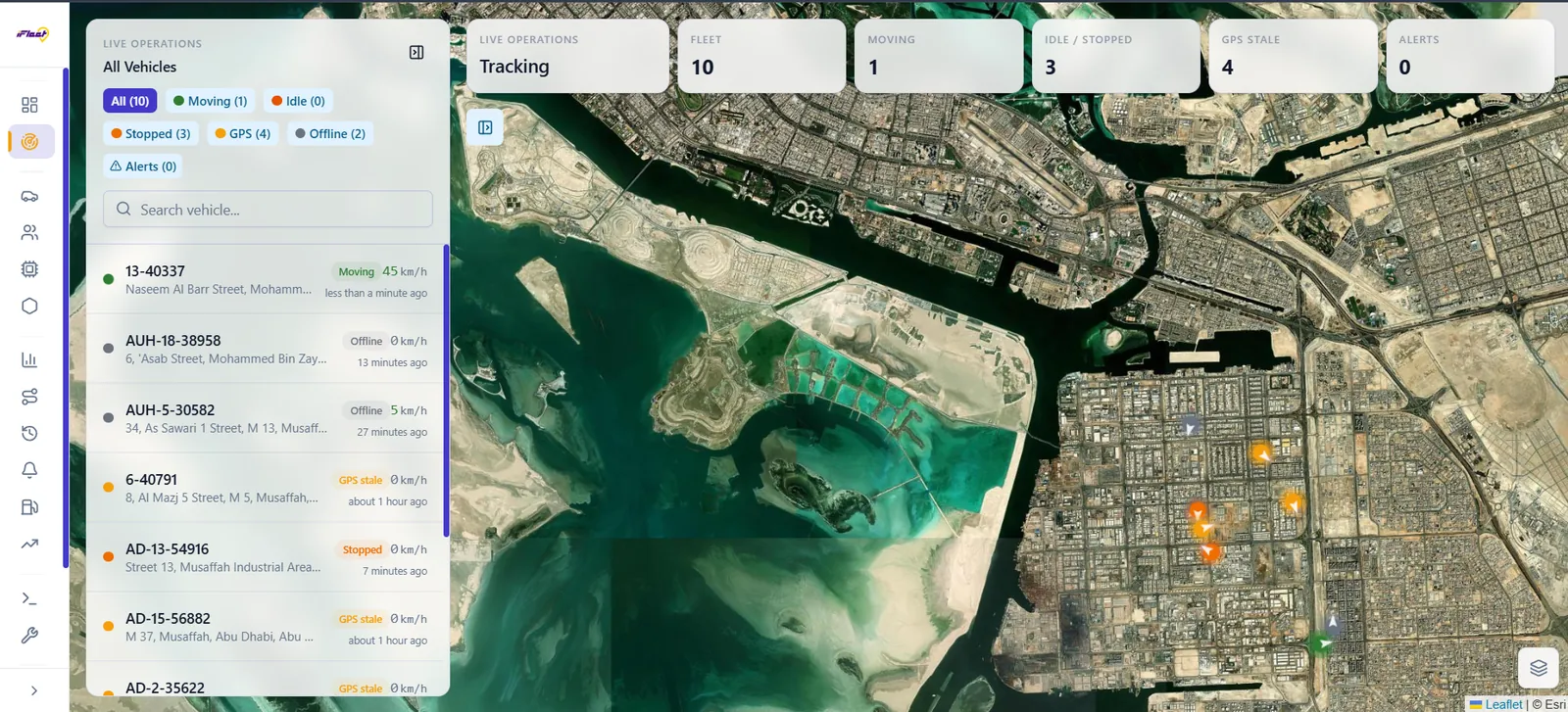
Moving, idle, stopped or offline
For SLA and timesheet reports
Dispatch
A chiller trips in a JLT tower at 14:05. Without live locations, the coordinator phones three technicians and sends whoever answers first.
With iFleet, the coordinator opens the live map, sees every van with its status and street address, and picks the technician who is nearest and already finished with his last job.
In Dubai and Abu Dhabi traffic, the difference between the right van and the wrong one is often the whole SLA window. The same map is in the mobile app, so a supervisor in the field can make the call too.
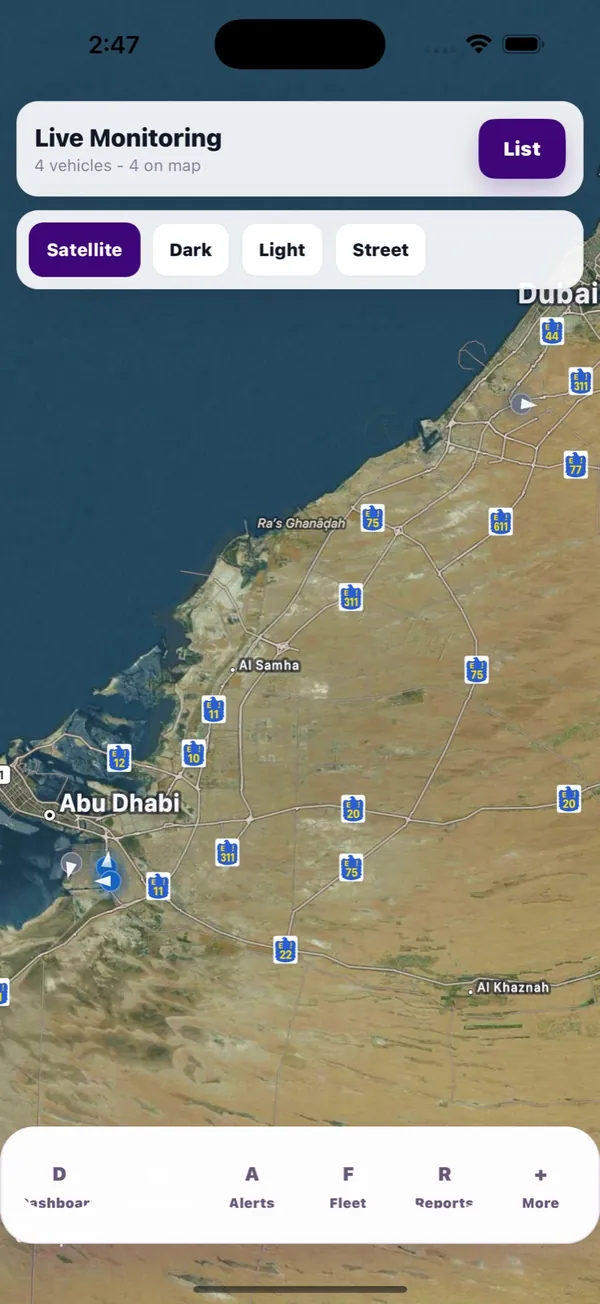
A technician's day, recorded automatically
Every line below is created by the GPS device and the geofences you set. The technician does not need to press anything.
Start of shift is logged with the time and the van. No paper sheet signed at the gate.
Enter event at the client geofence. This is the arrival time the facilities manager will see in the report.
Exit event closes the visit. Time on site is calculated for you, per visit and per client.
From mid-June to mid-September, outdoor work stops from 12:30 to 15:00. The stop report shows where the van waited and whether the engine idled with the AC on.
Dispatched from the live map as the nearest van. Arrival is stamped 34 minutes after the call was taken.
End of shift: 5 visits, 118 km, 1 h 10 min idling. The day can be checked against the timesheet in one click.
A different van moves at night. The supervisor gets an alert on the app with the location and can call the driver straight away.
SLA evidence
Facilities and maintenance contracts in the UAE are measured on response and attendance. A geofence around each client site turns every visit into an arrival time, a departure time and a duration.
Export the visit report by client, building or month as Excel or PDF and attach it to your monthly SLA pack or to a disputed invoice. The trip replay shows the route if anyone asks how the van got there.
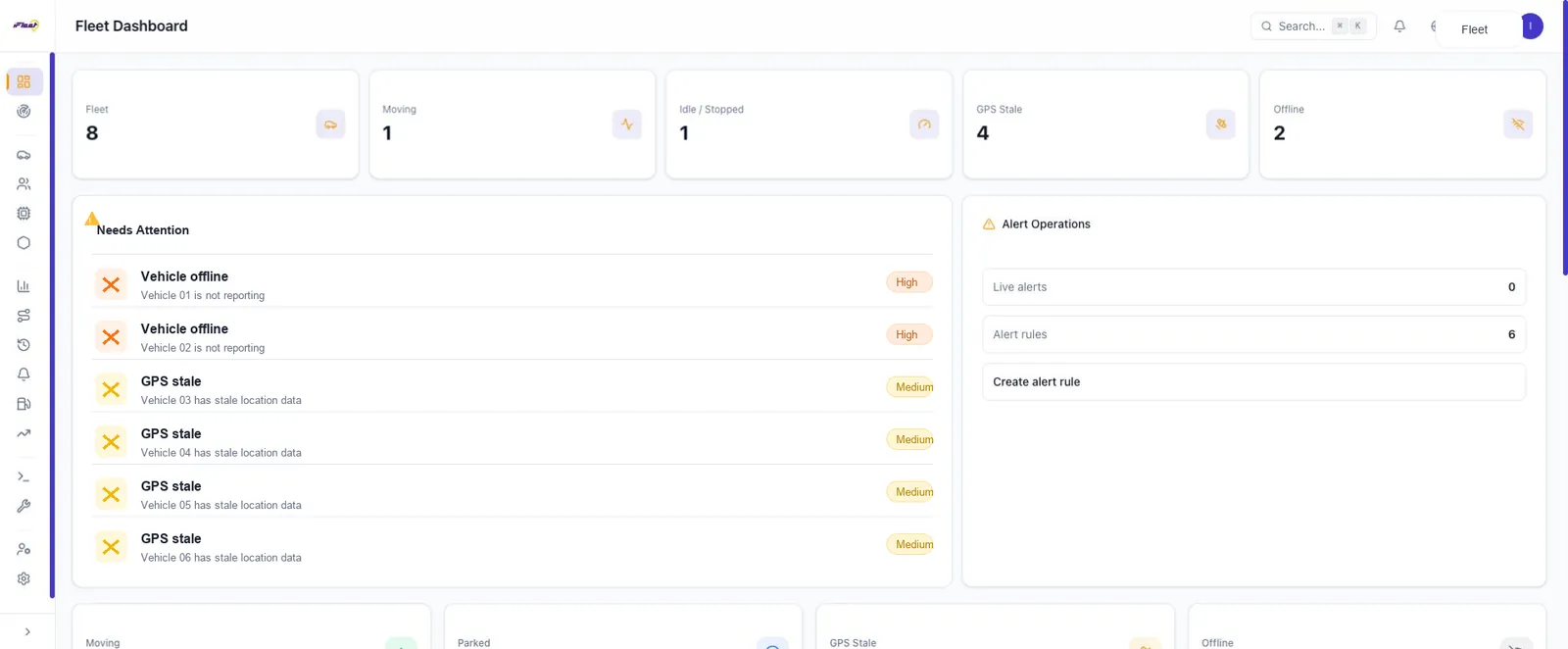
By trade
We set the geofences, alerts and reports during installation so they match your contracts, not a generic template.
Heavy summer call volumes and strict response times on AMC contracts.
Soft and hard services across towers, schools and compounds.
Long drives on E11 and E311 and remote sites with no one to sign a sheet.
Restaurants, hotels and homes that need proof the treatment was done on schedule.
A trapped passenger means minutes matter and the building wants a time on record.
CCTV, networks and access control installs in offices and villas.
Before and after
| Calls, WhatsApp and paper sheets | iFleet | |
|---|---|---|
| Find the nearest technician | Call around and ask | Live map with status |
| Arrival time at client site | Written by the technician | Geofence time stamp |
| Time on site | Estimated | Calculated per visit |
| Proof for a disputed visit | — | Report + trip replay |
| Van used at night or weekend | Found later, if at all | Alert when it happens |
| Who drove a shared van | Unknown | Driver ID card (add-on) |
| Speeding and harsh driving | — |
Time stamps come from the GPS device, so they do not depend on the technician's phone being charged or switched on.
Control the van, not just the job
Service vans are often taken home overnight. That is practical, and it is also where fuel and hours disappear.
Set working hours per team. Any trip outside them is flagged on the app, with the route on the map.
Compare the distance driven with the fuel claimed. A van that did 60 km should not fill a full tank every day.
Set your own limits for city roads and highways, and get an alert with location when a van goes over.
Vans left running with the AC on while the technician works inside. See minutes per van and per day.
When one van has a day and a night technician, an RFID card tells you who drove each trip.
See which vans do the most visits and which stand at base, before you buy or rent another one.
Safety in city traffic
Short urgent trips, tight parking at towers, and a phone ringing with the next job: that is a typical service day on Sheikh Zayed Road or in Al Wahda traffic.
Add an AI dashcam to see harsh braking and collisions on video, with a clip from before and after the event, and to warn drivers who use the phone at the wheel. With ADAS, the driver hears a warning when following too closely.
Getting started
Most of the setup is about your client sites, so we start there.
Number of vans and pickups, and a list of the client sites or buildings you visit most. A spreadsheet or a WhatsApp message is enough.
Our technicians install the devices at your office or workshop, wired and hidden, usually while vans are back between shifts.
We draw a geofence around each client site, set working hours per team, and turn on the alerts you choose.
A short session in Arabic or English on the live map, the app and the visit report. Then you run your first monthly SLA export.
Pricing
Start with GPS tracking for dispatch and visit proof. Add video when driving safety and incident evidence matter.
Dispatch, geofence visit times and after-hours alerts.
AED quote on WhatsApp
Everything in GPS Tracking, plus video for incidents and phone use.
AED quote on WhatsApp
Tracking, AI dashcam and ADAS warnings for teams that live on the highway.
AED quote on WhatsApp
Add-ons
Card reader in the van and cards for your technicians, so every trip in a shared van has a name on it.
Ask us
For pickups and larger vans where you want to see refuels and drops, not only distance.
Ask us
Stop a van from restarting if it is used without permission, where the device supports it.
Ask us
We confirm which add-ons fit each vehicle before installation.
FAQ
Yes. The report shows arrival, departure and time on site for each geofenced client site, from the GPS device in the van. Many teams attach it to their monthly SLA pack or send it when a visit is disputed. Whether a client accepts it contractually is between you and the client.
No. You set working hours per team. Driving home and back can be allowed, and any extra trips outside those hours are flagged. You can also see the overnight parking location.
iFleet tracks the vehicle, not the person's phone. We recommend you tell your team in writing that company vehicles are tracked and why. Access to the platform is controlled by user accounts you set.
iFleet can integrate with ERP, dispatch and other systems. It depends on the software you use, so ask us with its name and we will tell you what is possible.
The time is recorded when the van enters the geofence you draw around the site. For towers and large compounds we size the geofence around the building entrance or car park so the time reflects real arrival, not driving past.
Add the RFID driver ID: each technician taps a card when starting, and the trip is linked to that person. Without it, trips are linked to the van.
It gives you the distance driven, idling time and, with a fuel level sensor, refuel events. Comparing these with fuel card statements shows claims that do not match the driving.
Yes. We install in vans, pickups and cars across the UAE. Tell us the models and years and we confirm the right device before we come.
We reply on WhatsApp with an AED quote and a short demo of the visit report, in Arabic or English.